Electronic signatures in regulated industries: An electronic signature is a legally recognized method of signing a digital document while recording evidence of the signer’s identity, intent, consent, and actions. In banking and insurance, e-signatures are supported by authentication, document-integrity controls, timestamps, audit trails, secure storage, and retention policies designed to satisfy legal, regulatory, and internal compliance requirements.
Last updated: July 2026
TL;DR
Electronic signatures allow banking and insurance customers to review and sign applications, disclosures, agreements, policy documents, claims forms, and authorizations online. A compliant e-signature process does more than place a handwritten-style mark on a PDF. It records evidence showing who signed, what they signed, when they signed, how they were authenticated, and whether the document changed afterward.
The exact requirements depend on the document, jurisdiction, transaction risk, and the organization’s compliance policies. With EasySend, institutions can incorporate e-signatures into broader digital customer journeys that also collect and validate data, request supporting documents, generate personalized documents, route work between participants, and integrate completed transactions with existing banking and insurance systems.
What is an electronic signature?
An electronic signature is an electronic action that indicates a person’s intention to sign, accept, approve, or authorize a document or transaction.
The visible signature may take several forms:
- A typed name
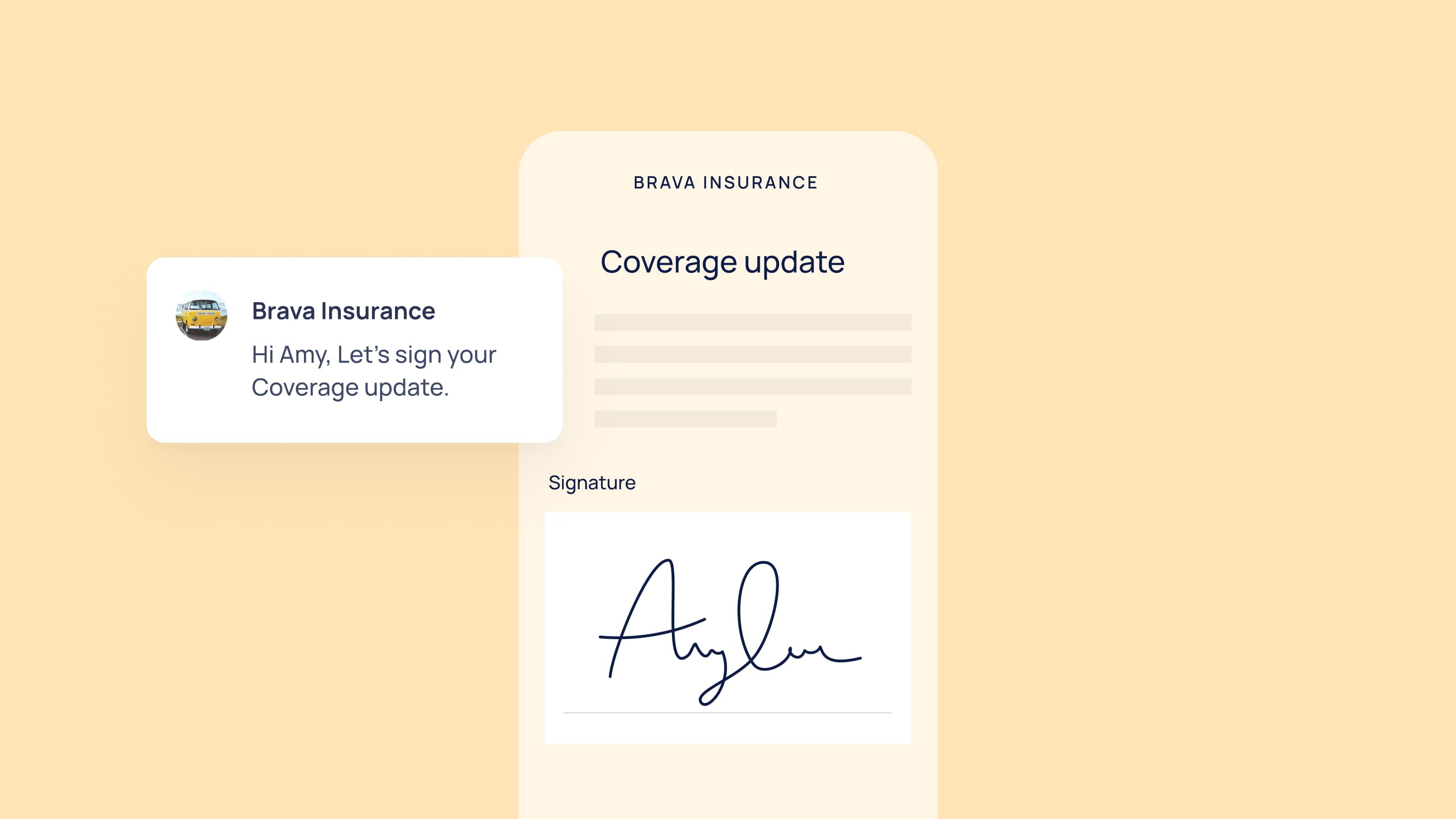
- A drawn signature
- An uploaded signature image
- A click-to-sign action
- A checkbox accompanied by an acceptance statement
- A cryptographically applied digital signature
The visible mark is only one part of the signing process. What makes the transaction defensible is the evidence surrounding it: the signer’s consent, authentication method, access history, timestamps, document version, and completed audit trail.
This distinction is particularly important in banking and insurance. A customer may be signing a loan agreement, authorizing a payment, accepting an insurance disclosure, confirming information in an application, or approving a claims settlement. The institution needs evidence that connects the signer to the exact document and records what happened throughout the transaction.
Organizations should therefore evaluate both the signature method and the broader transaction process. EasySend’s guide to the types and uses of electronic signatures explains how different signature approaches can support banking agreements, insurance policies, and other digital transactions.
How electronic signatures work
Although the customer experience is simple, several processes happen behind the scenes.
A typical workflow looks like this:
- A document is generated.
- The signer receives access to the document.
- The signer reviews the document.
- Identity verification or authentication is performed when required.
- The signer provides consent to sign electronically.
- The electronic signature is applied.
- The system records the signing event.
- An audit trail is created.
- The signed document is securely stored.
Modern e-signature platforms automate these steps while maintaining evidence that supports legal enforceability.
Are electronic signatures legally valid in banking and insurance?
Electronic signatures are generally recognized in many major jurisdictions, but legal validity does not mean that every electronic signing process is automatically appropriate for every document.
In the United States, the federal Electronic Signatures in Global and National Commerce Act, commonly known as the ESIGN Act, establishes that a signature or contract generally cannot be denied legal effect solely because it is electronic. The Uniform Electronic Transactions Act provides a related framework for electronic transactions at the state level.
In the European Union, the eIDAS regulation establishes a legal framework for electronic identification, electronic signatures, electronic seals, timestamps, registered delivery services, and other trust services. It distinguishes between electronic signatures, advanced electronic signatures, and qualified electronic signatures.
EasySend has also worked with Swisscom Trust Services to support qualified electronic signatures for insurers and financial institutions operating under European and Swiss requirements.
A bank or insurer must still determine:
- Whether the document can legally be signed electronically
- What level of identity assurance is appropriate
- Whether specific disclosures must be delivered before signing
- How the organization will capture consent to electronic records
- How long the signed record and supporting evidence must be retained
- Whether a specific signature level or trust service is required
- Whether local banking, lending, insurance, or consumer-protection rules apply
A typed or drawn signature should not be assumed to be enforceable merely because it appears on a document. The enforceability of a typed electronic signature depends on the applicable law and the evidence showing intent, attribution, consent, and document integrity.
Electronic-signature implementations should therefore be reviewed by the organization’s legal, compliance, information-security, and records-management teams. Technology can provide the necessary controls and evidence, but it does not determine the legal requirements for a particular product, document, or jurisdiction.
Identity verification matters as much as the signature
In regulated industries, verifying the signer is often the most important step.
Organizations may use:
- Email verification
- SMS verification
- One-time passwords (OTP)
- Customer authentication
- Existing account credentials
- Identity verification providers
The appropriate level of authentication depends on the transaction, applicable regulations, and organizational policies.
For high-risk financial transactions, stronger identity verification is typically required before a signature is accepted.
How does the e-signature process work?
From the customer’s perspective, an electronic signature may take only a few seconds. Behind that experience, the platform should perform and record a series of coordinated actions.
1. The organization prepares the transaction
The process begins with the institution determining which document or documents must be signed. These may already exist as PDFs, or they may be generated dynamically using data collected earlier in the customer journey.
The organization also defines:
- Who must participate
- Which fields each person must complete
- Whether participants sign in sequence or in parallel
- Which authentication controls apply
- Whether an internal approval is required
- What makes the transaction complete
- Where the signed record should be delivered
A basic transaction might involve one customer signing one document. A more complex transaction could involve a borrower, co-borrower, guarantor, bank representative, and compliance reviewer completing different parts of the same process.
This is one reason the distinction between a document-signature tool and a workflow platform matters. The comparison of EasySend and DocuSign explains how document execution differs from digitizing the complete customer-facing process before and after signature.
2. The signer receives secure access
The signer receives a secure link or enters the signing process through an authenticated portal, mobile application, or digital journey.
The appropriate access method depends on the transaction. A low-risk acknowledgment may use a secure email link, while a higher-risk financial agreement may require account authentication, a one-time password, identity verification, or several controls used together.
Access should be limited to the intended participant. The platform should also record relevant events associated with opening, reviewing, and progressing through the transaction.
When the signature is embedded within a digital customer journey, the customer can move directly from data collection and document review to signing without switching to an unrelated experience.
3. The signer reviews required information
Before signing, the customer needs an opportunity to review the document and any associated disclosures.
This step is particularly important in regulated industries because the institution may need to demonstrate that the customer could access the information before providing consent. The signing interface should make required documents clear, readable, and accessible across supported devices.
The journey may also ask the signer to confirm that their information is correct. When signing is part of a broader workflow, the customer can review the information collected earlier rather than signing an isolated document without context.
For example, an insurance applicant may review personal information, selected coverage, beneficiaries, declarations, and required disclosures in one connected experience. A borrower may review the approved amount, repayment schedule, fees, co-borrower information, and agreement terms before signing.
4. The institution authenticates the signer
Authentication helps connect the person completing the transaction to the identity associated with the document.
Possible methods include:
- Access through an authenticated customer account
- Email verification
- SMS-based one-time passwords
- Knowledge-based checks
- Identity-document verification
- Biometric verification
- Authentication through an external identity provider
- A combination of multiple methods
Stronger authentication is not automatically required for every transaction. Institutions typically apply controls based on legal requirements, transaction value, fraud risk, customer type, channel, and internal policy.
A routine policy-service acknowledgment may not require the same identity controls as a high-value lending agreement or beneficiary change.
Authentication and electronic signing should therefore be designed as related but distinct functions. A signature expresses intent. Authentication provides evidence about who performed the action.
This relationship also matters in customer onboarding. A KYC data intake workflow may collect identity information and supporting documentation before the customer reaches the signature stage.
5. The signer demonstrates intent and consent
A defensible process should make it clear that the customer intends to sign or accept the document.
This can be accomplished through language such as:
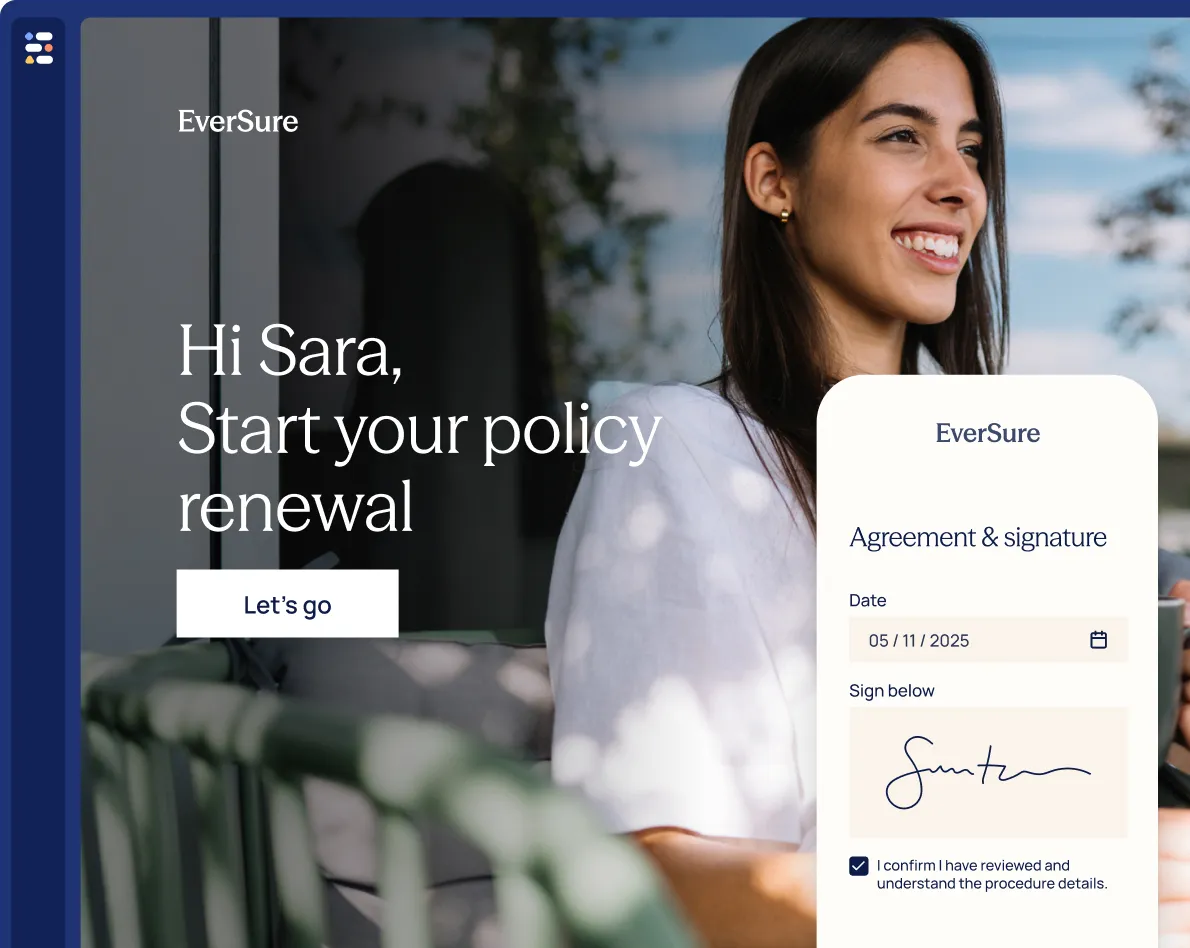
By selecting “Sign and complete,” I confirm that I have reviewed this document and intend to sign it electronically.
The signer should take an affirmative action rather than being treated as having signed through inactivity. The interface should also distinguish clearly between navigating through a document and completing the final signature.
Where required, the process may separately capture the customer’s consent to receive and use electronic records. It may also explain how the customer can obtain a paper copy, update contact information, or withdraw consent for future transactions.
6. The signature is applied
Once the customer completes the required action, the platform applies the electronic signature to the specified document and fields.
The system may also add:
- The signer’s printed name
- The signing date
- A transaction identifier
- Initials
- The participant’s role
- Signature metadata
- A document or certificate reference
The visual presentation varies between systems. From an evidentiary perspective, the transaction record and audit trail are often more significant than the appearance of the signature itself.
7. The platform protects document integrity
After signing, the organization must be able to show that the final document is the same document the customer approved.
Document-integrity controls may include:
- Cryptographic hashes
- Tamper-evident seals
- Controlled document versions
- Digital certificates
- Restricted storage
- Change detection
- Transaction identifiers
If the document is modified after signing, the change should be detectable or should create a new version requiring an additional signing action.
These controls reduce the risk of a signed agreement being altered without a corresponding record. They are also a core reason why uploading an image of a handwritten signature to a PDF is not equivalent to using a controlled e-signature process.
What is recorded in an e-signature audit trail?
The audit trail is often more important than the visible signature because it allows the institution to reconstruct the transaction.
Depending on the platform, configuration, and legal requirements, an audit trail may record:
- Transaction ID
- Document name and version
- Participant name and role
- Email address or other identifier
- Date and time of each action
- Authentication events
- IP address
- Document access events
- Signature status
- Completion status
- Delivery and notification activity
Consider a disputed loan agreement. The bank may need to show which agreement was presented, when the applicant opened it, how the applicant was authenticated, when each participant signed, and whether the document changed afterward.
A signature image alone cannot answer these questions. A structured audit trail can.
The same applies in insurance. During a claims dispute, an insurer may need to demonstrate which settlement terms the claimant reviewed, when the release was signed, what identity controls were used, and when the completed record was delivered.
What is the difference between an electronic signature and a digital signature?
The terms are related but not identical.
An electronic signature is the broader legal and functional concept. It refers to an electronic action used to indicate agreement, approval, or intent to sign.
A digital signature is a specific technical method that uses cryptographic technology to verify the origin and integrity of a document or message. Digital signatures are frequently used to strengthen authentication and tamper detection, but not every legally recognized electronic signature is necessarily a cryptographic digital signature.
Under eIDAS, different categories of electronic signatures can carry different technical requirements and legal effects. Organizations operating across jurisdictions should not treat all signature methods as interchangeable.
EasySend’s article on integrating digital signatures into insurance document workflows provides additional context on how document integrity and signatures fit into automated insurance processes.
How banks use electronic signatures
Banks use electronic signatures across customer acquisition, lending, servicing, wealth management, and internal operations.
Loan applications and agreements
A digital lending process usually begins with an application rather than a document that is already ready to sign.
The institution first collects information about the applicant’s identity, employment, income, assets, liabilities, requested amount, and intended use of funds. It may then request supporting documentation, perform credit and eligibility checks, route the application for review, and generate the appropriate agreement.
A typical digital lending flow may include:
- Applicant and co-applicant data collection
- Identity and eligibility checks
- Supporting-document upload
- Credit or underwriting review
- Loan-document generation
- Applicant and co-applicant signatures
- Internal approval or countersignature
- Delivery of completed documents
- Transfer to the loan origination system
Embedding the signature in the same journey helps preserve context and reduces the need to move the applicant between disconnected tools.
Account opening
Banks can use e-signatures to capture acceptance of account terms, tax declarations, disclosures, fee schedules, privacy notices, and customer authorizations.
The signature should be connected to the data and disclosures presented during account opening. This produces a clearer record than collecting information in one system and sending an unrelated PDF for signature later.
Digital onboarding and KYC are closely connected to this process. EasySend’s guide to KYC data intake workflows explains how structured data collection, supporting evidence, business rules, and system integrations can be coordinated before final approval and signing.
Payment and servicing authorizations
Customers may electronically sign direct-debit instructions, repayment-plan changes, account-service requests, beneficiary updates, or other authorizations.
The workflow can apply additional authentication where the request presents greater fraud or financial risk. It can also route higher-risk requests to an internal employee before the authorization becomes final.
Wealth and investment services
Advisory agreements, investor questionnaires, risk acknowledgments, transfer forms, and account-maintenance documents may all involve electronic signatures.
These workflows often require several documents, multiple participants, and a clear record of which disclosures were presented. Combining signatures with structured data collection helps the institution maintain consistency between the customer’s answers and the final signed documents.
Why banking workflows need more than e-signatures
Banks rarely send standalone documents for signature.
Instead, signing happens after a customer completes a larger process.
For example, a loan application may involve:
- Customer onboarding
- Identity verification
- Income verification
- Supporting document collection
- Internal credit review
- Loan agreement generation
- Electronic signature
- Loan origination system updates
Sending customers to a separate signing application creates unnecessary friction.
Instead, signing should be integrated directly into the digital Journey.
EasySign allows borrowers to review and sign documents without leaving the workflow.
Learn more: https://kb.easysend.io/docs/easysign
How insurers use electronic signatures
Insurance companies use e-signatures throughout the policy and claims lifecycle, from initial application to renewal, servicing, and settlement.
New policy applications
Applicants may sign declarations confirming that the information supplied is accurate and complete. They may also acknowledge coverage terms, exclusions, disclosures, privacy statements, or medical-information authorizations.
The signature should be connected to the actual application data. If the customer changes a material answer after reviewing the final document, the platform may need to regenerate the document and obtain a new signature.
This approach supports a more connected life insurance experience than sending customers between a form, email thread, PDF editor, and signature tool. EasySend explores this model in its article on rethinking life insurance application processes.
Claims and settlement agreements
During a claim, the policyholder may need to sign a proof-of-loss statement, payment authorization, release, settlement agreement, or declaration.
A digital claims journey can collect incident details, supporting evidence, claimant information, and third-party details before generating the appropriate claim documents. The claimant then reviews and signs personalized output rather than completing a disconnected generic PDF.
EasySend’s step-by-step guide to digitizing an insurance claims process explains how insurers can connect customers, brokers, adjusters, documents, communications, and internal systems in one workflow.
For processes beginning with first notice of loss, digital intake can improve data quality and reduce the manual work required to start a claim. EasySend’s overview of the benefits of digital FNOL provides more detail on the operational and customer-experience impact.
Policy changes and endorsements
Customers may use electronic signatures to approve changes to coverage, insured parties, beneficiaries, payment methods, or policy details.
Conditional workflow logic can determine whether a change requires additional evidence, internal approval, updated disclosures, or a revised policy document before signature.
The completed request can then be sent to the relevant policy administration or CRM system rather than requiring an employee to re-enter the customer’s information.
Agent, broker, and distributor processes
Insurance transactions may involve customers, agents, brokers, underwriters, and internal reviewers.
A multi-party workflow can assign each participant a specific role and control the order in which information, approvals, and signatures are completed. It can also prevent one participant from accessing information intended only for another role.
Why standalone e-signature software may not be enough
A standalone e-signature tool is effective when the document already exists, all information has been finalized, and the only remaining task is obtaining one or more signatures.
Regulated customer processes are usually more complex. Before a document is ready to sign, the institution may need to:
- Collect customer data
- Validate answers
- Obtain supporting files
- Verify identity
- Determine eligibility
- Select the correct disclosure language
- Route the case for internal review
- Generate a personalized agreement
After signing, the organization may need to:
- Send a customer copy
- Produce an audit certificate
- Update a CRM record
- Store the document in a repository
- Notify an employee
- Trigger another approval
- Continue the loan, policy, or claim process
- Retain supporting evidence
When these steps are handled through separate tools, institutions create manual handoffs and duplicate work. Employees may copy data into templates, upload completed PDFs to core systems, update statuses manually, and search through email threads for missing documents.
This is the central difference explained in EasySend vs. DocuSign: an e-signature platform focuses primarily on executing documents, while EasySend is designed to digitize the customer-facing workflow before, during, and after the signature.
E-signatures work best when combined with digital workflows
A signature is rarely the first step in a regulated process.
Most customer interactions involve:
- Data collection
- Validation
- Supporting documents
- Internal approvals
- Document generation
- Electronic signatures
- CRM updates
- Customer notifications
Platforms that combine all of these capabilities reduce manual work while improving the customer experience.
This is why many financial institutions are moving from standalone e-signature solutions to complete digital workflow platforms.
How EasySend incorporates e-signature into a complete journey
EasySend supports both document-focused signature processes and broader digital customer journeys.
For a straightforward use case, an organization can send an existing document for completion and signature. For a more complex banking or insurance process, the signature can be embedded within a Journey that includes:
- Guided customer data collection
- Conditional questions and screens
- Real-time validation
- Document and evidence upload
- Multiple participant roles
- Personalized document generation
- Electronic signatures
- Notifications and reminders
- Audit trails
- APIs and webhooks
- CRM and core-system integration
EasySend’s Journeys platform is designed to coordinate these customer-facing steps and synchronize information with existing systems.
This allows the organization to decide whether it needs a focused document-signing process or a complete workflow. It also prevents customers from repeatedly entering the same information or moving between separate tools.
How dynamic documents support regulated signing processes
Regulated documents frequently vary according to product, jurisdiction, customer type, coverage, loan terms, risk level, or earlier answers.
Maintaining a separate template for every possible variation creates operational and compliance risks. Employees may select the wrong template, use outdated language, omit a required disclosure, or manually copy customer information into the wrong field.
A dynamic document process can use collected data and business rules to generate the correct document automatically.
For example, one insurance application template could:
- Include state-specific disclosures
- Display optional coverage sections only when selected
- Add beneficiary tables based on the number of beneficiaries
- Insert policyholder and insured-party data
- Add signature fields for the relevant participants
A lending template could:
- Include co-borrower sections only when applicable
- Insert the approved loan amount and repayment terms
- Display product-specific disclosures
- Add guarantor provisions
- Include different signature blocks based on entity type
This helps ensure that the customer signs a document reflecting the information and rules applied during the journey.
EasySend's Dynamic Documents generate personalized documents from a single Microsoft Word template using information collected during the Journey.
Business rules automatically determine which sections appear, ensuring customers only sign documents relevant to their situation.
Learn more: https://kb.easysend.io/docs/dynamic-document
How integrations connect signatures to core systems
A completed signature should trigger the next business action rather than becoming a PDF that an employee must move manually.
EasySend can connect customer-facing journeys with systems such as:
- Loan origination systems
- Core banking platforms
- CRM systems
- Policy administration systems
- Claims management platforms
- Document management systems
- Enterprise content repositories
- Payment systems
- Identity-verification services
- Data warehouses
For example, after a borrower signs a loan agreement, the workflow can deliver the completed document, audit trail, structured application data, and transaction status to downstream systems.
After an insurance settlement is signed, the workflow can update the claim record, store the release, notify the claims team, and initiate the next payment-related action.
EasySend’s overview of business integrations explains how customer data and workflow activity can connect with existing enterprise technology.
Integration is not only an efficiency feature. It improves traceability by reducing manual downloads, uploads, status changes, and uncontrolled document handling.
Best practices for implementing e-signatures in regulated workflows
Classify transactions by risk
Do not apply the same authentication and signing rules to every process. Categorize transactions based on legal significance, financial value, fraud exposure, data sensitivity, customer type, and jurisdiction.
This helps the organization apply stronger controls where they are justified without adding unnecessary friction to low-risk interactions.
Design the complete workflow
Map what happens before and after signing. Determine how data is collected, which documents are required, how templates are selected, who must approve the transaction, and where the completed record goes.
A technically valid signature can still sit inside an inefficient or poorly controlled operational process.
Make disclosures readable
Customers should be able to review the information they are accepting. Avoid presenting important disclosures in a format that is difficult to access on mobile devices or disconnected from the final signing action.
Capture explicit intent
Use clear labels and confirmation language. A final button should communicate that the customer is signing or accepting the document, not merely continuing to another page.
Preserve the complete evidence package
Retain the signed document, audit trail, relevant attachments, transaction metadata, and required consent records. Ensure that employees can retrieve the records together rather than searching across multiple systems.
Control document versions
Use approved templates, defined ownership, and change controls. When a document changes after it has been signed, determine whether the process must create a new version and obtain another signature.
Test every participant path
Multi-party workflows should be tested for different roles, signing orders, incomplete transactions, expired links, rejected documents, changed email addresses, and required corrections.
Monitor completion and exceptions
Track which transactions are complete, pending, failed, expired, or require assistance. Monitoring should allow operational teams to identify exceptions without bypassing compliance controls.
Review jurisdiction-specific requirements
Banking and insurance regulations vary by country, state, product, and document type. Legal and compliance teams should review each target workflow rather than relying on a general assumption that all documents can use the same process.
Common e-signature implementation mistakes
Treating a signature image as sufficient evidence
A visual signature alone provides limited context. The organization should preserve transaction evidence connecting the signer, document, authentication events, consent, and timestamps.
Separating the signature from the underlying data
When application data is collected in one system and the document is generated manually in another, inconsistencies can appear between what the customer entered and what they ultimately signed.
Using weak authentication for every transaction
Email access may be appropriate in some situations but insufficient in others. Authentication should reflect risk rather than convenience alone.
Ignoring document-generation controls
A compliant signing process cannot compensate for an incorrect or outdated document. Template governance and dynamic-document logic are essential parts of the workflow.
Failing to integrate completed records
When employees manually download and upload signed files, the organization introduces delays, misfiling risks, incomplete records, and potential data-handling issues.
Assuming one jurisdiction’s rules apply everywhere
E-signature laws and industry obligations differ. A multinational institution may need different disclosures, authentication methods, retention rules, or signature types across regions.
Electronic signature vs. a complete digital journey
Why banks and insurers use EasySend
EasySend is designed to digitize complete customer interactions rather than treating electronic signatures as an isolated activity.
A regulated workflow can combine:
- No-code digital Journeys
- Structured data collection
- Conditional business logic
- Secure document collection
- Multi-party workflows
- Dynamic document generation
- EasySign
- Automated communications
- Audit trails
- APIs and webhooks
- Enterprise integrations
- Transaction monitoring
This approach is particularly useful when the document cannot be prepared until the customer has completed an application, supplied evidence, passed validation steps, or moved through an internal review.
Instead of using one tool to collect information, another to generate a document, another to capture signatures, and manual work to move the result into core systems, the organization can coordinate the process as one connected digital customer journey.
Organizations evaluating the difference between these approaches can also review the detailed EasySend vs. DocuSign comparison.
Why organizations choose EasySend
EasySend combines digital customer Journeys with enterprise-grade electronic signatures.
Instead of purchasing separate tools for forms, workflows, document generation, and signatures, organizations can manage complete customer interactions in one platform.
EasySend includes:
- AI Journey Builder
- AI PDF Converter
- No-code Journey Builder
- Structured data models
- Conditional business logic
- Dynamic Documents
- EasySign
- Workflow automation
- Enterprise integrations
- Analytics and audit trails
This allows banks and insurers to modernize regulated customer processes while continuing to use their existing core systems.
Learn more about EasySign: https://kb.easysend.io/docs/easysign
FAQ

Forget forms. Create digital customer journeys.