TL;DR
Contract renewals are not just “send and sign” workflows—they are complex, conditional processes involving data, documents, approvals, and multiple stakeholders. A modern digital renewal journey simplifies this by using pre-filled data, conditional logic, automated document generation, and multi-party eSignatures. The result is faster renewals, fewer errors, reduced churn risk, and full operational visibility—all while keeping the process structured and auditable.
A contract renewal flow looks deceptively simple: send renewal → get signature.
In reality, renewals are conditional and high-risk.
Different contract types.
Different terms and pricing.
Different signers and compliance requirements.
And very real churn risk if the experience is slow or confusing.
Below is a practical, end-to-end renewal blueprint you can implement as a digital journey, with real-time validation, automatic document generation, and multi-party eSignatures, so renewals move fast and stay auditable.
1) Define the renewal “decision tree” first (don’t start with the form)
Before designing screens, define the decision tree that determines what kind of renewal package is required.
Core inputs that drive the flow:
Outputs this logic controls:
Best practice: Introduce a simple boolean early: standard vs. exception.That single flag drives approvals, document selection, and signature routing downstream.
2) Entry point: identify the customer and pre-fill everything possible
Screen: Confirm your renewal details
The goal is psychological as much as technical:
customers should feel like they’re confirming known information, not re-entering it.
What you ask vs. what you pre-fill
Validation Rules:
- Contract exists and is active
- Renewal window is open (e.g. 90 days pre-expiry)
- Optional: signer email domain matches account
How EasySend works here
- The journey is triggered from your CRM (e.g., renewal date approaching) or via a secure renewal link
- Customer identity and contract context are passed into the journey as parameters
Result: customers confirm instead of retyping, and errors are eliminated upfront.
3) Renewal options: standard renewal vs. changes
Screen: What’s changing in your renewal?
Instead of one long form, present a fast decision point.
Toggle options:
- Keep everything the same (fast path)
- Update billing info
- Update legal entity details
- Change term
- Change products/territory
- Add/remove locations/users
- Request different payment terms
Routing rule:
- If “keep everything the same” → skip most data collection, go straight to docs + signature.
- If any change → open the relevant sub-steps only.
How EasySend works
- Business rules and conditional logic decide which steps appear
- Irrelevant questions are skipped entirely
- Each renewal follows its own path without creating separate forms
Key principle
Every toggle controls visibility.
If something isn’t changing, the customer never sees it.
4) Collect only what’s needed
Instead of one long page, use small, conditional steps.
Legal / entity updates (only if changed)
Commercial entity (only if changed)
Billing details (only if changed)
How EasySend works
- Field-level conditional logic
- Mandatory vs. optional fields enforced automatically
- Real-time validation prevents incomplete or incorrect submissions
Result: clean, structured data with almost no back-and-forth.

5) Generate the right renewal package automatically (templates + rules)
You want the customer to sign the correct document version without manual intervention.
Template selection rules
Output formats:
- One bundled “renewal packet” (preferred for simplicity), or
- Separate documents in a single signature request (still one workflow)
How EasySend works
- Each document has rules (required/optional, file types, size limits)
- Submission is blocked until requirements are met
- Documents are stored and tagged with metadata automatically
Result: no more “can you resend the attachment?” emails, no wrong versions, no missing attachments, no resend requests.
Add a smart review gate before signature
Before anyone signes, insert a review step that prevents most errors:
Screen: “Review and confirm”
Show a clean summary:
- Term, effective date, pricing, scope, territory
- Legal entity and signer details
- Included documents (with names)
Hard gates (cannot continue unless true):
- Required inputs complete
- Required documents attached (e.g., PO)
- Any exception request tagged correctly (so it routes to approvals)
What EasySend handles
Template selection by:
- Contract type
- Jurisdiction
- Renewal vs. amendment
- Scope or pricing changes
Automatic inclusion of addenda:
- Pricing appendix
- Territory appendix
- DPA or security addendum
Result: every customer signs the right version, every time.
7) Route internal approvals (only for exceptions)
Renewals stall when approvals are informal. Make them explicit and rule-based.
Approval routing examples:
- Pricing change > X% → Sales leadership approval
- Non-standard payment terms → Finance approval
- Territory exclusivity → Legal approval
- Data processing involved → Security/Privacy approval
Outcome options:
- Approved → proceed to signature
- Rejected → return to customer step with requested changes
- Needs edits → loop back with comments
Best practice: keep approvals asynchronous and logged with an audit trail.
How EasySend works
- Approval steps are conditional
- Approvers review structured data, not emails
- Decisions are logged automatically
Result: no side channels, no lost approvals, full audit trail.
8) Multi-party eSignatures (roles, order, automation)
Signer roles you’ll commonly need:
Signing order patterns:
- Customer signs → internal countersign (most common)
- Internal signs first → customer signs final (when you want to ensure internal approval locked)
eSignature request essentials:
- Field mapping (name/title/date) auto-filled
- Role-based visibility (each signer sees only what they must)
- Automatic reminders + expiration
- Audit trail + completion certificate
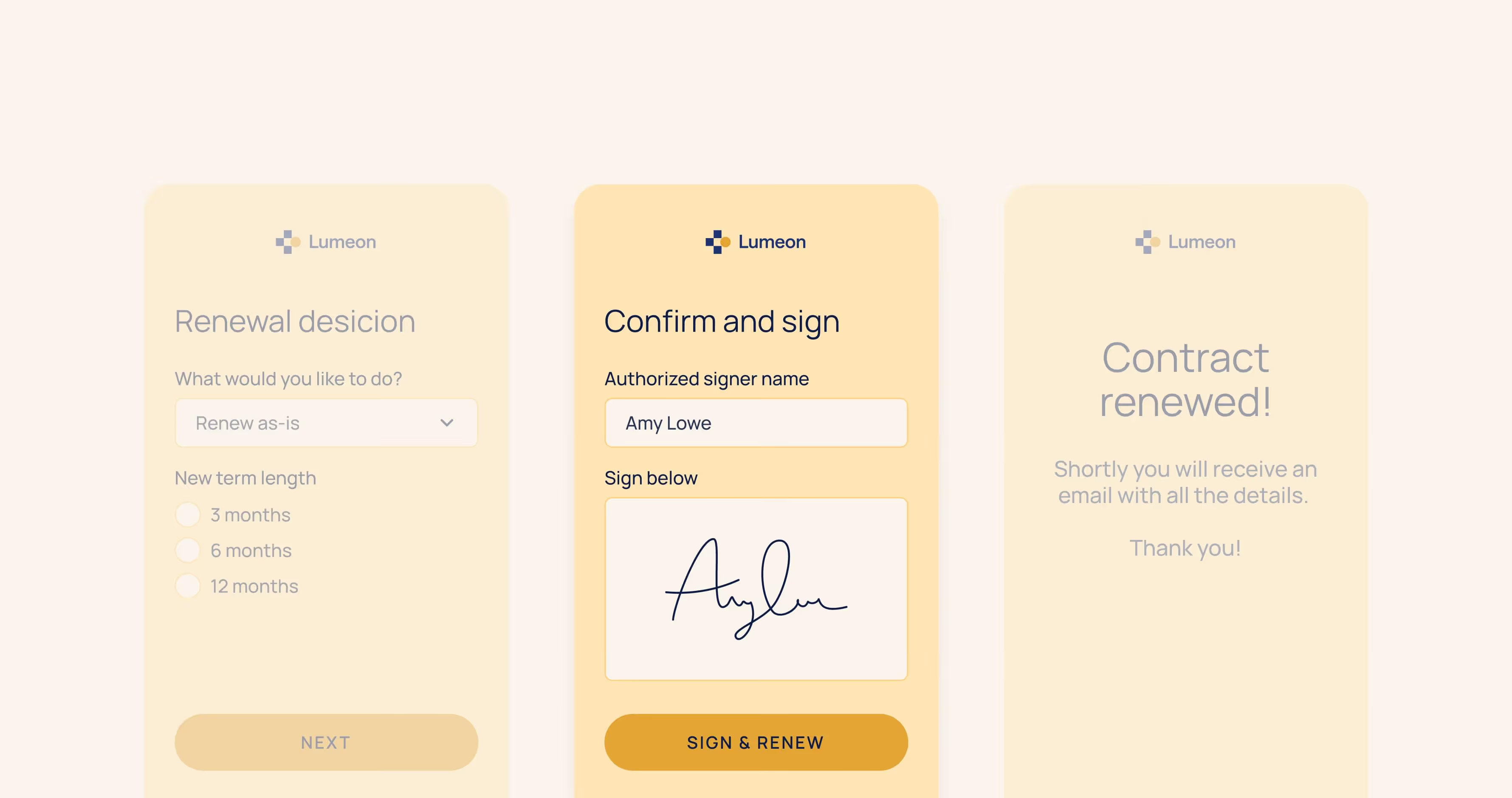
EasySend handles multi-party eSignatures inside the same renewal journey.
Signature capabilities
- Role-based signers (customer, internal countersigner, optional guarantor)
- Configurable signing order
- Auto-filled signature fields
- Automated reminders and expiration
- Full audit trail and completion certificate
Result: faster signatures with zero document confusion.
9) Confirmation, activation, and system sync
Signing is not the end, activation is.
Customer-facing confirmation page:
- “Renewal complete”
- Download signed documents
- Key dates (start/end/renewal)
- Support contact
Internal actions (automate):
- Update contract record (status = renewed, new term dates)
- Update CRM fields (tier, ARR, renewal date, products)
- Create billing/ERP tasks (invoice schedule, PO stored)
- Notify stakeholders (CSM, finance, legal) with summary
Best practice: write back a structured “renewal payload” to your systems so reporting is reliable.
Once all parties sign:
EasySend automatically
- Marks the renewal as completed
- Syncs updated contract data back to CRM / core systems
- Updates renewal dates, ARR, tier, and scope
- Stores signed documents with structured metadata
- Notifies internal stakeholders
Result: no manual re-keying, no broken reporting.
10) Add operational visibility (so teams stop chasing)
Create a simple status model everyone can understand:
- Draft / customer started
- Submitted
- Under internal review
- Sent for signature
- Partially signed
- Fully signed
- Activated / provisioned
Every renewal journey has a clear, trackable status. Teams can see where renewals stall and act before deals slip.
Conclusion: treat renewals as a system, not a task
Contract renewals fail when they’re treated as a document-sending exercise instead of a structured process.
In reality, renewals involve:
- Decisions
- Data
- Documents
- Approvals
- Multiple stakeholders
EasySend reframes renewals as dynamic digital journeys — one guided flow where data is validated in real time, documents are generated automatically, approvals are embedded when needed, and signatures happen without friction. All while keeping everything structured, auditable, and synced to your core systems.
The result is a renewal process that scales: faster turnaround, fewer errors, better visibility, and a smoother experience for everyone involved.
FAQ

Forget forms. Create digital customer journeys.